
An automated Jira investigation gives everyone with access a common starting point. Each person can explore the findings privately with Driver, then use Jira to communicate the information their teammates need.
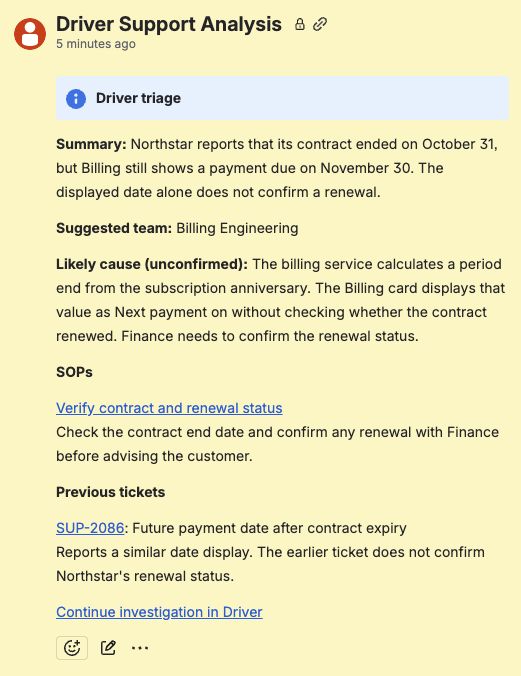
Read the automated findings on Jira, then continue the investigation in Driver. View full size.
Pick up the investigation
- Open the Jira ticket and read Driver’s automated findings.
- Select Continue investigation in Driver.
- Review the report marked Shared starting point.
- Send a question or additional context. Driver creates your private investigation from the automated starting point and continues with you there.
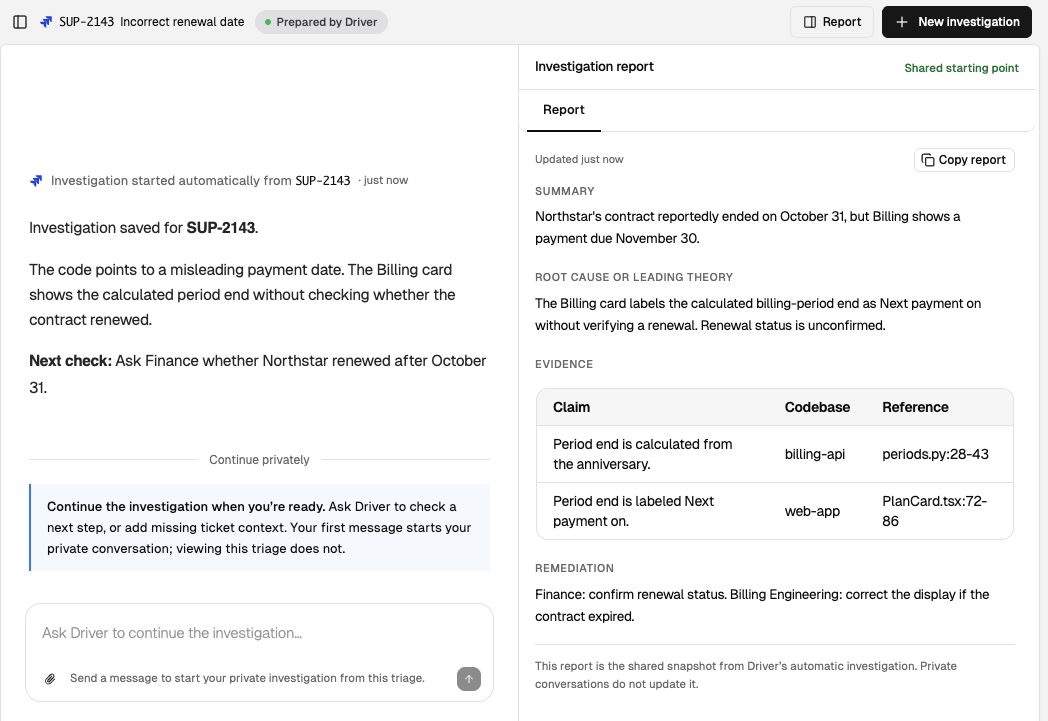
Your first message starts a private continuation. Private conversations do not update the shared report. View full size.
For example, support might ask for a customer explanation while an engineer checks a suspect code path. Both start from the same automated investigation and continue independently. If you have already replied, reopening the automated investigation lets you return to your own continuation.
What is shared and what is private
| Context | Who works with it | How to use it |
|---|---|---|
| Jira ticket and automated findings | People with access to the Jira ticket and connected investigation | Use the report and its link as the starting point for further work. |
| Your continuation with Driver | You and Driver | Test a hypothesis, add context, or request a draft. Other people continue in their own conversations. |
| Information needed by the team | Share through your Jira workflow | Copy the relevant finding, evidence, open question, or reviewed draft into the ticket. |
Private conversations do not update the shared starting report. A teammate picking up the ticket needs any new facts you want them to use recorded on Jira.
Hand work to engineering
Request an Engineering handoff from your ticket investigation report. Check the reproduction, environment, likely cause, citations, and unresolved questions. Copy the reviewed handoff into Jira and assign or route the issue using your team’s existing process.
See Hand it to engineering for the details to include and Access control for source permissions.