
Continue in the investigation conversation when you need an explanation, have new information, or want Driver to check another source. Name the detail that could change the conclusion.
Ask a focused follow-up
| What you need | Example |
|---|---|
| Check the version | ”The customer is on 4.2.1. Does that version include the route you cited?” |
| Compare customers | ”Why does Northwind avoid the error? Check the tenant override in limits.yaml.” |
| Inspect another path | ”Check services/billing/pdf as well. Is this a separate rendering path?” |
| Narrow the time window | ”Look at the gateway logs between 02:00 and 02:20 on Tuesday.” |
| Test an alternative | ”Could this be a permissions failure? What evidence rules that out?” |
Driver can use only the repositories and connected tools available to the agent. Include a relevant error excerpt or other context in your message when the source is not connected, and identify where the excerpt came from.
Review the updated answer
As you add information, Driver checks the new evidence against the earlier explanation, compares possible causes, and updates its answer. Driver identifies which findings the evidence supports and what still needs confirmation. Review the cited sources and provide version, environment, and tenant details so Driver can check that the evidence applies to the reported problem.
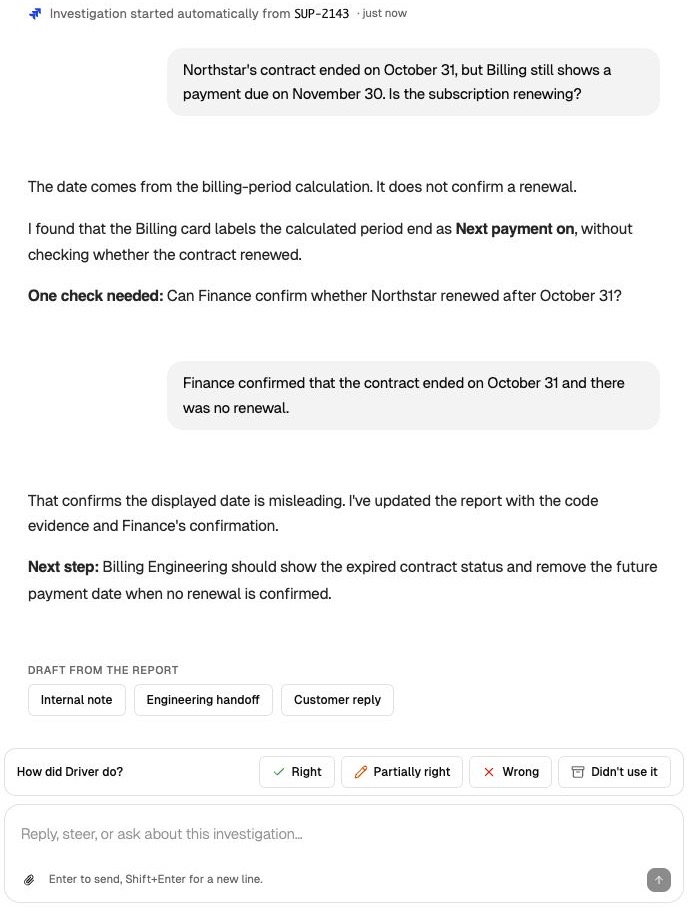
Add a confirmed fact so Driver can check its explanation and update the report. View full size.
If you opened an automated investigation from Jira, your first message creates a private continuation. Add any information teammates need to the Jira ticket through your normal workflow.