
Ask code questions with Answers or work through support tickets with Driver Investigations. Driver reads the sources it can access, explains the findings, and continues with you as you test alternatives or add information.
Start with a question or ticket
| Your starting point | How to begin |
|---|---|
| A code question | Open Investigations, name the codebase, and describe what you want to understand. |
| A Jira ticket | Paste its URL into Investigations, or open the investigation linked from Driver’s automated report on the ticket. |
| A connected AI tool | Use the early-access Driver Investigations MCP App to investigate and see evidence directly in Claude Cowork or ChatGPT Work. |
| A terminal | Use the Driver CLI to start and continue an investigation. Coding tools can also use Driver MCP to read codebase context. |
The Ways in guide explains these entry points. Automatic Jira investigations start for new tickets in projects where Automatic triage is enabled.
Review and continue
Read the findings and their evidence, then ask Driver to check a competing explanation, a particular version, or another source. Ticket investigations have a report from which you can request an internal note, engineering handoff, or customer reply.
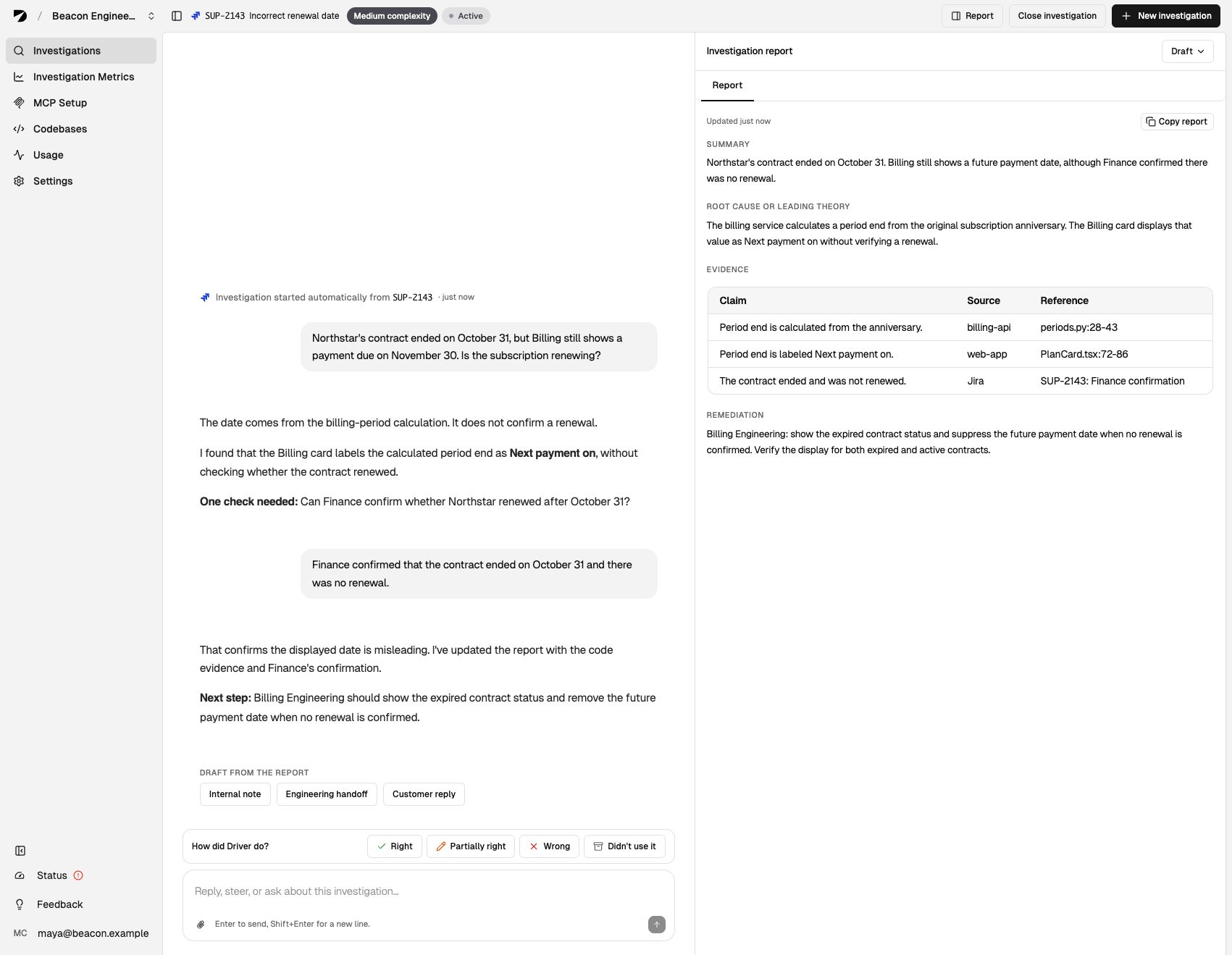
Continue the conversation on the left while reviewing the report on the right. View full size.
Review an investigation explains the report, conversation, and feedback. Review drafts covers checking and copying a result into the tool where your team acts on it.
Pick up an automated investigation
Driver posts automated findings on the Jira ticket with a link to continue. Anyone with access can open that starting point. Your first message starts your private continuation, and each teammate can investigate independently. See Continue a Jira investigation.